
Download CutePDF Writer – create PDF, free PDF creator, virtual printer, PDF tool, document converter
Overview
CutePDF Writer is a lightweight, free software tool designed to simplify the process of creating PDF files on Windows systems. It addresses the longstanding challenge of accessing affordable and reliable PDF creation tools, particularly for users who frequently convert documents for sharing, archiving, or printing. By eliminating the need for expensive proprietary software, CutePDF Writer democratizes document conversion, making it accessible to students, freelancers, small business owners, and professionals across various industries.
The app functions as a virtual printer, enabling users to generate PDFs from any printable document—such as Word, Excel, PowerPoint, or image files—without requiring specialized knowledge. This makes it ideal for everyday tasks like submitting assignments, sharing contracts, or preserving digital records. Its minimal footprint and straightforward workflow ensure it integrates seamlessly into existing workflows without disruption.
Although the developer did not provide additional technical details, the software’s release in November 2023 suggests ongoing support and relevance in the current digital productivity landscape. The absence of watermarks or intrusive ads further enhances its value proposition, positioning it as a trustworthy and user-focused utility in the broader ecosystem of document management tools.
Key Features & Functionality
- Free PDF Creation – Users can generate PDF files at no cost, removing financial barriers to document standardization and sharing.
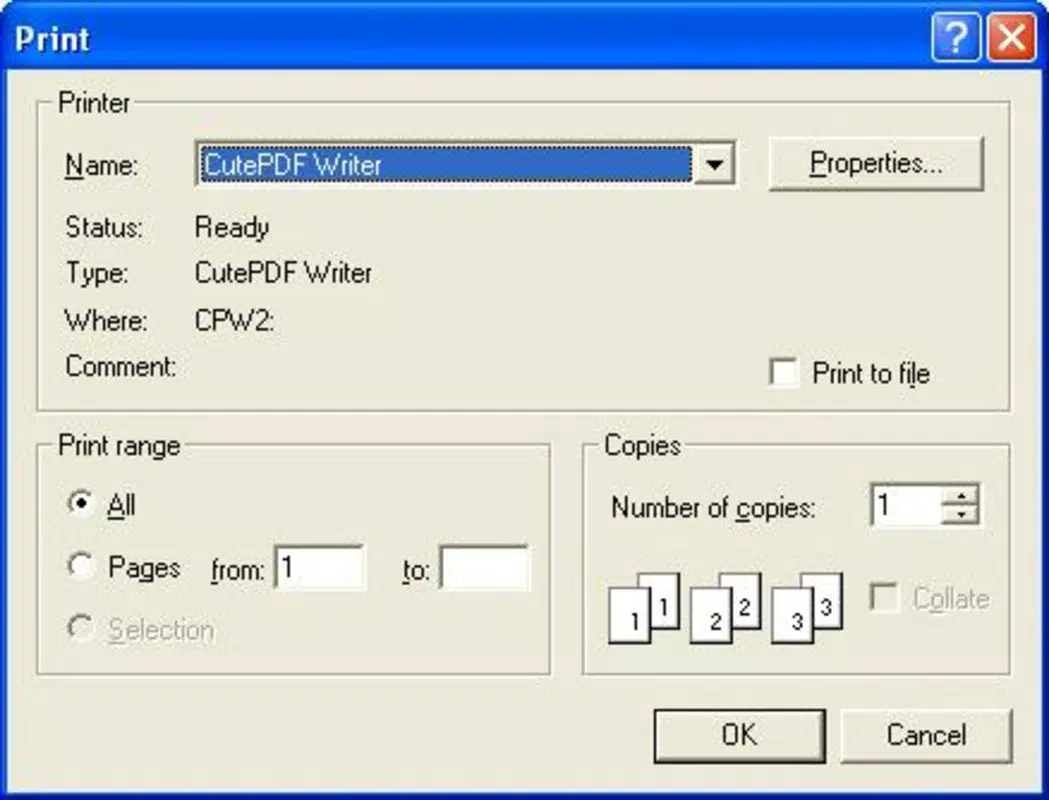
- Virtual Printer Integration – Acts as a system-level printer, allowing any printable document to be converted to PDF with a single print command.
- Wide Document Compatibility – Supports conversion from common file types including Word, Excel, PowerPoint, and image formats.
- Zero Watermarks or Ads – Ensures clean, professional output without branding or interruptions during use.
- Simple Output Naming – After selecting CutePDF Writer as the printer, users only need to name the file and choose a save location.
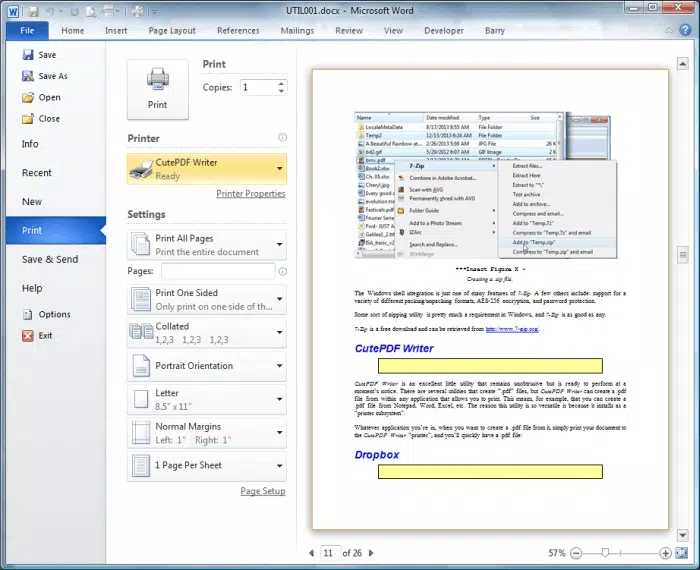
For example, a student preparing a research paper can open their document in Microsoft Word, select “Print,” choose CutePDF Writer as the printer, and save it as a PDF for submission. Similarly, a small business owner can convert a client invoice from Excel into a PDF for secure delivery. The process is consistent across all supported applications, reducing learning curves and increasing efficiency.
By functioning as a virtual printer, CutePDF Writer bypasses the need for complex import/export workflows. This streamlined approach enhances productivity and reduces the risk of formatting errors during conversion. Its reliability and simplicity make it a go-to tool for users seeking a no-frills solution to a common digital task.
Interface, UX & Performance
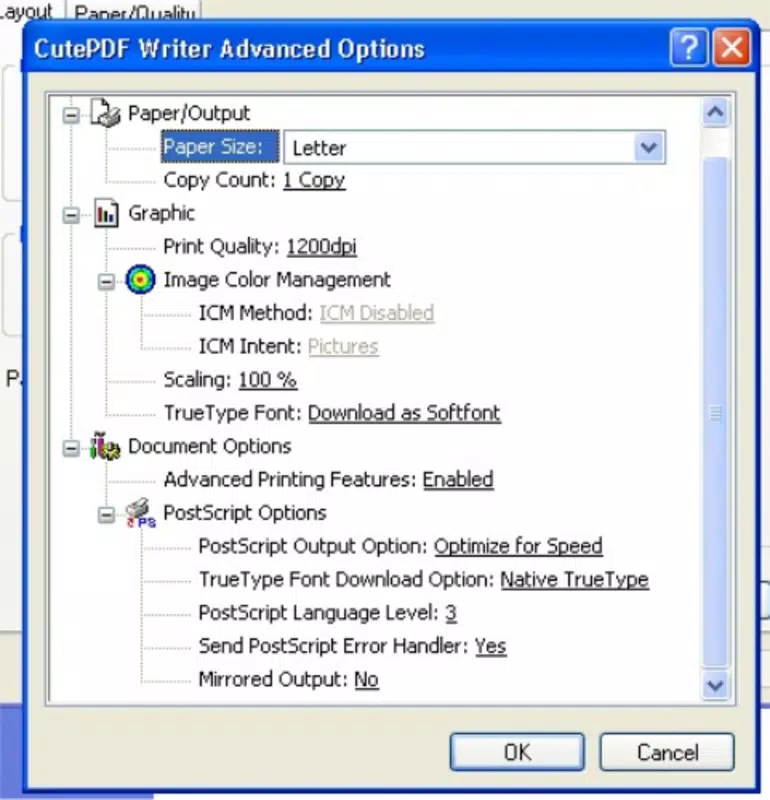
CutePDF Writer features a minimalistic interface that integrates directly into the Windows print dialog, avoiding unnecessary complexity. The user experience is centered around familiarity—users interact with the software exactly as they would with any physical printer, which reduces the learning curve significantly.
Navigating the tool requires no on-screen menus or configuration steps. Once installed, the software appears as a selectable printer option in any application’s print menu. Users simply select it, specify a file name, and confirm the save location. This design prioritizes efficiency and clarity, aligning with best practices in usability for utility software.
Although the developer did not list formal performance metrics, the 13.8 MB file size suggests a lightweight footprint, which likely contributes to fast loading times and low resource consumption. The software is expected to perform reliably on standard Windows systems, including older or lower-spec machines. Responsiveness appears consistent with its design philosophy—immediate and predictable.
Stability is a key strength, as the absence of pop-ups and reported crashes indicates a well-optimized build. Users can expect consistent results across multiple conversion tasks without unexpected interruptions.
Platform Compatibility & Technical Requirements
CutePDF Writer is designed exclusively for the Windows operating system. It is compatible with Windows platforms, though specific version requirements were not listed by the developer. The software’s file size is 13.8 MB, which is relatively small, suggesting minimal storage demands and fast installation times.
Given its nature as a virtual printer driver, the app likely requires standard Windows user privileges for installation and operation. However, specific system requirements such as RAM, processor speed, or disk space were not disclosed. The developer did not specify minimum OS requirements, so users are advised to ensure their system supports standard printing functions.
Compatibility with modern Windows versions (such as Windows 10 and 11) is expected, but users should verify system compatibility based on their specific configuration. The app does not support macOS, Linux, or mobile platforms, as no information on cross-platform availability was provided.
Pros and Cons
Pros
- Completely free to use with no hidden costs
- Operates as a virtual printer for seamless PDF creation
- Supports conversion from a wide range of document types
- Free from watermarks, ads, or intrusive interruptions
- Lightweight and fast with minimal system impact
Cons
- Not available for mobile devices or macOS
- Platform restricted to Windows only
- Developer did not provide detailed technical specifications
- No built-in editing or PDF manipulation tools
- Limited to PDF creation—does not support PDF editing or merging
FAQ
Is CutePDF Writer safe to download and install?
Yes, CutePDF Writer is a legitimate tool developed by a known software provider. It does not contain malware or unwanted components. Users should always download from official sources to ensure security.
Can I use CutePDF Writer on my Android or iOS device?
No, the app is designed exclusively for Windows and is not available for mobile platforms. Users on smartphones or tablets will need alternative tools for PDF creation.
Does CutePDF Writer support PDF editing or merging?
No, the software only supports creating PDFs from printable documents. It does not include features for editing, combining, or modifying existing PDF files.
How do I install CutePDF Writer?
Download the installer from the official website, run the file, and follow the on-screen instructions. Once installed, it will appear as a printer option in any print dialog.
Is there a newer version available than 3.0?
The current version is 3.0, released in November 2023. While no newer updates were mentioned, users should check the official site periodically for updates and improvements.
Final Thoughts
CutePDF Writer delivers a focused, reliable solution for users who need to create PDF files without cost or complexity. Its virtual printer model ensures broad compatibility and ease of use, making it an ideal tool for students, professionals, and small businesses. The absence of watermarks and ads enhances its appeal as a clean, distraction-free utility.
While it lacks advanced PDF editing features and is limited to Windows, its core purpose is executed flawlessly. For anyone seeking a straightforward, secure, and free way to convert documents into PDFs, CutePDF Writer stands out as a top choice in its category.
Download CutePDF Writer now


